


Introducing Vinci Index
Today we're introducing Vinci Index, built on Vinci's proprietary indexing model. Turn the hours you already have into archives you can search, chapter, and clip without scrubbing the whole file.

Today we're introducing Vinci Index, a new layer in the Vinci platform for teams sitting on serious audio and video libraries.
If you already use Vinci for generative media, Index is how you unlock the archive behind the next campaign. If you are new to Vinci, Index is often the fastest way to see what our models can do on footage you already own.
The problem is not storage. It is retrieval.
Sports rights teams keep season tape. Brands keep years of campaign cuts. Creators keep long-form that should become shorts. The files are not missing. The right second inside them is.
Most workflows still look like this: someone opens a folder, guesses which export might have the hit, scrubs until they find it, and writes timestamps by hand. That works when you have one reel. It breaks when you have thousands of hours.
We built Index because generative media gets better when your library is queryable. The model can only remix what your team can find.
What Vinci Index does
Vinci Index turns audio and video into timed, searchable records. After indexing, your library behaves more like a document than a pile of files.
- Search the archive by phrase, player, product line, or claim. Jump to the exact second.
- Map the scenes with chapters, speakers, and structure on long files.
- Flag compliance risks before a cut ships.
- Cut for social with in and out points already set.
- Read across the hours to see what repeated, who appeared, and which angles carried the tape.
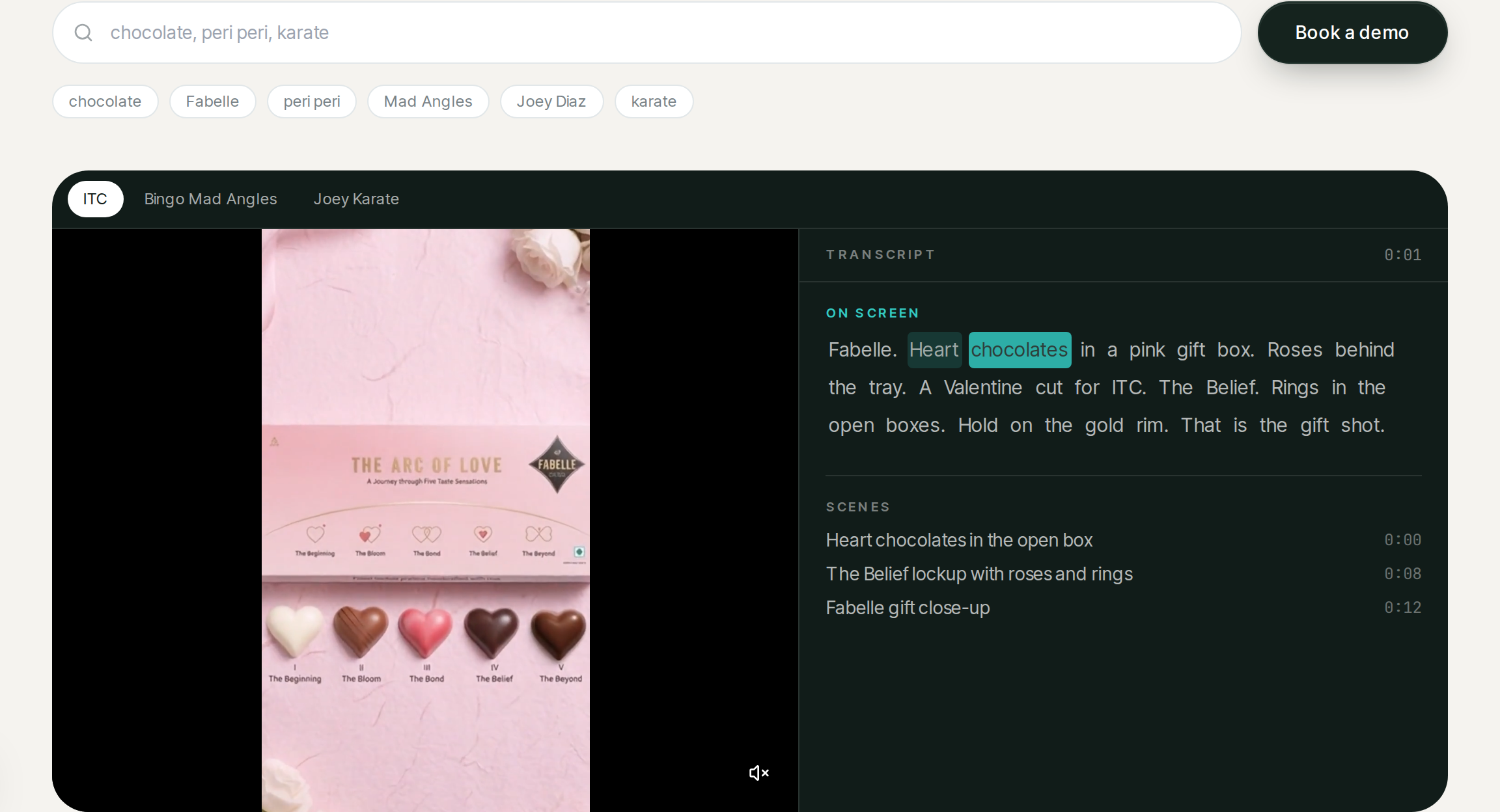
Try a live search on the Vinci Index playground.
Under the hood: Vinci's proprietary indexing model
Index is not a thin wrapper on a generic speech API. It runs on a Vinci-built indexing stack trained and tuned for media archives: broadcast sports, brand films, podcasts, webinars, and mixed camera feeds.
Here is how the pipeline works end to end.
1. Ingest built for real libraries
You send files or point us at storage. We handle MP4, MOV, MP3, WAV, and the wrappers teams already sit on. Index preserves source timing so every downstream hit maps back to the master.
2. Speech model tuned for footage, not meetings
Our speech model is optimized for the noise you get in real media: crowd beds, music under dialogue, multiple mics, and fast cross-talk. Output is word-level timing on every transcript, not paragraph blobs.
That matters when an editor needs to cut on a single word or when legal asks for the exact frame a claim appears.
3. Speaker diarization at archive scale
Index labels who spoke when, including files with dozens of speakers on a single tape. For sports and live events, that means coaches, players, and talent stay separated without manual logging.
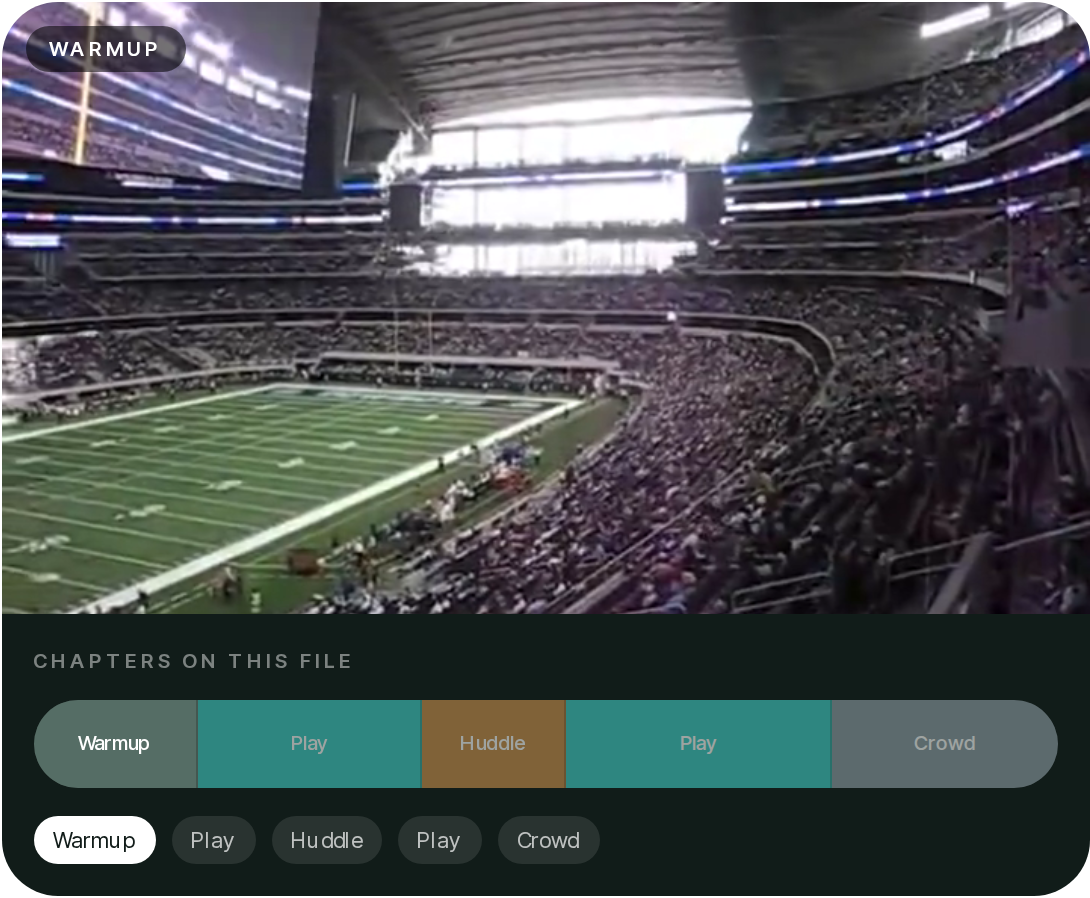
4. Scene and chapter detection
Long files come back with scene boundaries: plays, huddles, crowd shots, product demos, talking-head blocks. Producers get a map before they open a timeline.
5. Semantic search over the index
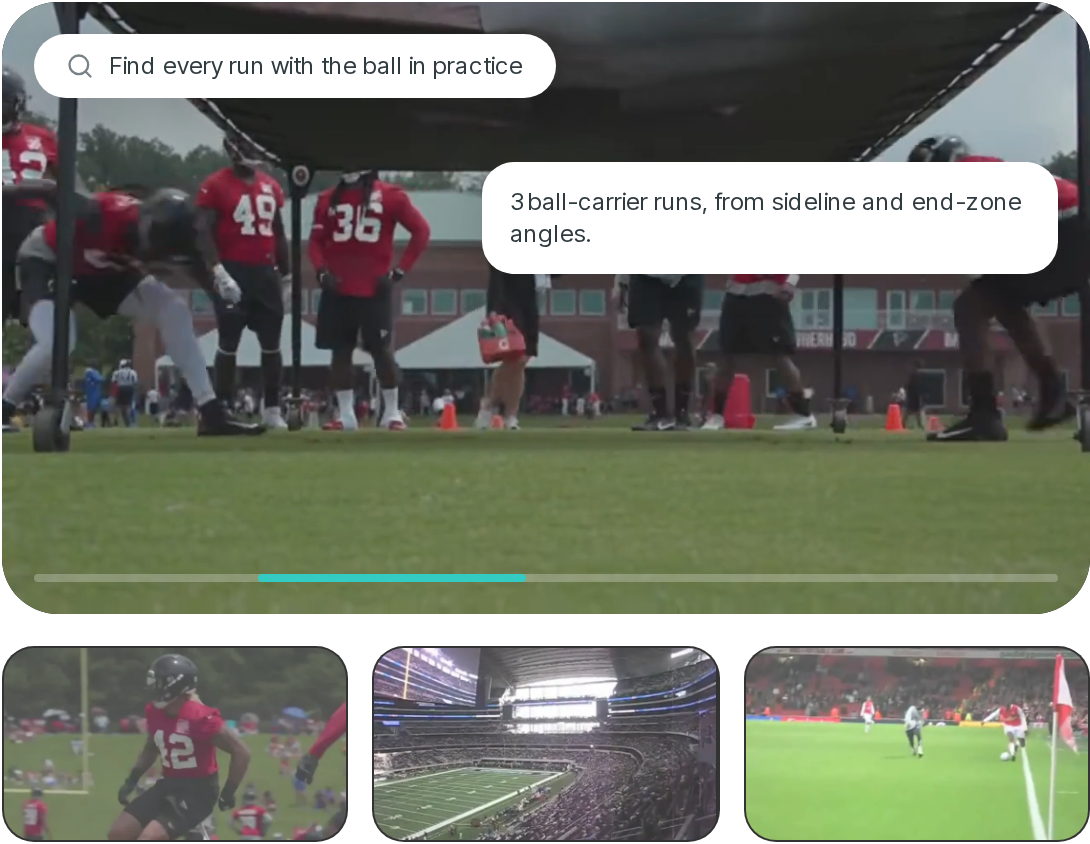
Once speech and scenes are structured, Index builds a search layer on top. You type natural language. The model returns timestamps, context windows, and related angles from the same session.
6. Multilingual by default
Index supports 90+ languages, with mixed-language detection on a single file. English, Spanish, Hindi, Portuguese, Japanese, Korean, German, French, and more ship without standing up a separate stack per locale.
Five jobs Index handles in production
Search the archive
Type a play, a line, a product. The index jumps you to that second across every file you have sent.
Map the scenes
The long file comes back as scenes, speakers, and chapters. Editors start from a map.
Flag it before it ships
Find the claim, the logo, or the borrowed shot while it is still in the library.
Cut it for social
Mark the hit and send a vertical cut to Vinci Clips, a CMS, or a folder.
Read across the hours
See who appeared, what repeated, and which camera carried the tape.
How teams use Index with the rest of Vinci
Index is the retrieval layer. Clips is the packaging layer. The Platform is the generation layer.
A typical flow:
- Index the season, the campaign archive, or the creator back catalog.
- Search for the moment that matches this week's brief.
- Clip vertical cuts for social or send timestamps to an editor.
- Generate new variants on the Platform when you need fresh creative, grounded in the same brand context.
That is generative media with memory: your archive feeds what you make next.
Pricing
Indexing starts at $0.88 per hour of media ($0.015 per minute). Seats, storage, and clip export are sized to your library and confirmed on a demo.
Explore Vinci Index · Book a demo
What is next
We are onboarding sports rights, brand, and creator libraries now. If you have hours that should work harder than folder search, we would like to run Index on a sample and show you the hits.
The archive should be as actionable as your next shoot. Index is how we get there.